Forge: catching entire classes of bugs in agent-written code
Part 1 of 3 on forge, the framework we build Reliant with. One customer app, a change that goes wrong, and the check that catches it.

Shawn Nunoo
· 5 min read
LLMs have let us ship code at an alarming rate. Agents are writing code at a pace that's frankly hard to keep up with. Uber, PostHog, and others have written some great blog posts on software factories. This post explores how we provide code restrictions, through a tool we've recently open sourced, forge to prevent the agent from writing certain classes of bugs.
Forge is a framework for building and running services, and many of its defaults reflect what we learned over more than a decade of building infrastructure at big cloud providers. We build Reliant with it now, and I'm comfortable letting an agent drive most of our coding (with a hat tip to the awesome improvements we've seen in model output quality in the last several months).
Let's walk through a small customer app: get it running, add a feature, and check the change before deploying it.
We reproduced a migration mistake we'd seen our agents make. The clips show real commands and output from a scripted walkthrough, with waits removed.
First, get something working
We want a customer admin app. We create the project with forge project new shop --service customers --frontend web, define the customer's fields in the service's proto file, and run forge scaffold.
// forge:entity
message Customer {
  string name = 2;
  string email = 3;
  string phone = 4;
  bool active = 5;
}
forge scaffold
What comes out is a running app: a migration that creates the table, the five CRUD rpcs, the database code, typed React hooks, and four working pages for listing, viewing, creating and editing customers. There's also a test that walks a customer through its whole lifecycle against a real Postgres. The pages are starter code in the Rails scaffolding sense. Rewrite them however you like and the next run won't touch them.

Look beneath the page
Behind the page, the proto file defines the API: Customer plus the five CRUD rpcs Forge added. A SQL migration in db/migrations defines the table, and every subsequent schema change goes in another migration. Forge generates the clients, database code and CRUD wiring from those definitions, so there's no third definition to maintain by hand.
The generated TestCRUD_Customer_Lifecycle creates, reads, lists, updates and deletes a customer against a real Postgres database built from the project's own migrations, rather than a mock.
The file headers distinguish generated code from files Forge scaffolds once for you to edit. Your pages and business logic stay yours. The full file list and the ownership rules are in the technical notes. If you want a bigger example, step through the recorded build of shop and inspect the proto, migration, handler, hooks and test from one run. That console's telemetry is sample data, not data from a production app.
So this is a starting point, not a finished customer admin. The business rules are still ours to write.
Ask for a real change
Now we want to archive a customer. Archiving isn't one of the five CRUD rpcs, so it's a custom rpc. forge scaffold rpc customers ArchiveCustomer writes the handler stub and a placeholder test. The typed client and React hook still come from the proto, but the logic is ours to write. For an agent, this saves the work of setting up the request and test. It has a function with the right signature and a file to edit.
We add an archived flag and an archived_at timestamp to Customer. The handler sets both:
row.Archived, row.ArchivedAt = true, &now
fields := []string{db.CustomerFieldArchived, db.CustomerFieldArchivedAt}
The handler loads the row, sets the two fields and saves only those changes. We replace the test placeholder with two cases: one checks the flag and timestamp after archiving, and the other checks the response for an id that doesn't exist.
Those two columns don't exist yet, so the migration is next.
The first trap
The migration is two lines.
ALTER TABLE customers ADD COLUMN archived BOOLEAN NOT NULL;
ALTER TABLE customers ADD COLUMN archived_at TIMESTAMPTZ;
Then we run the fast tests for the package.
task: [test:short] go test -short -timeout 60s ./internal/handlers/customers/...
ok      github.com/acme/shop/internal/handlers/customers        7.318s
The tests pass. The first SQL statement is still unsafe. Each test database starts empty, so Postgres can add a NOT NULL column without a default: there are no existing rows that need a value. We tried the same statement outside the clip against Postgres 16, this time with one customer already in the table:
ERROR: column "archived" of relation "customers" contains null values
forge lint checks the migration itself:
❌ migration safety lint — 1 error
   ✗ db/migrations/20261110020927_archive_customers.up.sql:11 [unsafe-add-not-null-column]
     ADD COLUMN ... NOT NULL without a DEFAULT fails on populated tables
This is an excerpt from the only finding in the run. It points to the failing migration and explains what's wrong. The full finding also suggests several fixes, so an agent has something specific to work from.
Fix it and prove it
The hint's first suggestion is to add the column as nullable, backfill it, then set NOT NULL. For this flag, we chose a default instead.
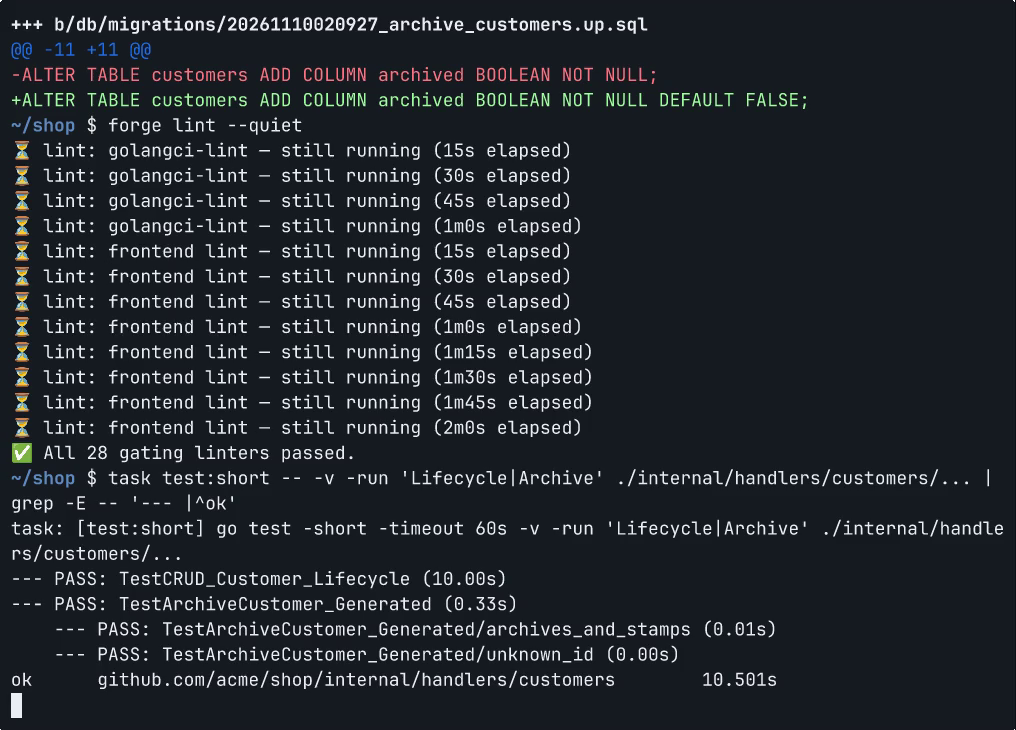
-ALTER TABLE customers ADD COLUMN archived BOOLEAN NOT NULL;
+ALTER TABLE customers ADD COLUMN archived BOOLEAN NOT NULL DEFAULT FALSE;
The default also keeps the previous release working during deployment. The migration runs while that release is still serving traffic, and its inserts don't include archived. Adding a nullable column, backfilling it and setting NOT NULL without a default would make those inserts fail. With DEFAULT FALSE, they keep working. The lint accepts both approaches, so it didn't steer us toward the safer one. We filed a bug against our hint text. We also ran the fixed statement against the same populated table outside the clip, and it applied cleanly.
We rerun the lint:
✅ All 28 gating linters passed.
And the archive tests plus the lifecycle test:
task: [test:short] go test -short -timeout 60s -v -run 'Lifecycle|Archive' ./internal/handlers/customers/...
--- PASS: TestCRUD_Customer_Lifecycle (10.00s)
--- PASS: TestArchiveCustomer_Generated (0.33s)
    --- PASS: TestArchiveCustomer_Generated/archives_and_stamps (0.01s)
    --- PASS: TestArchiveCustomer_Generated/unknown_id (0.00s)
ok      github.com/acme/shop/internal/handlers/customers        10.501s

Where this leaves us
We now have an archive action, tests for a successful archive and a missing customer, and a migration we've checked against existing data.
The original version passed its tests too. That's why Forge has checks beyond the test suite. Here, the migration lint caught a problem our tests didn't cover and explained what was wrong. The fix was one line, but choosing it still required thinking about the previous release's inserts.
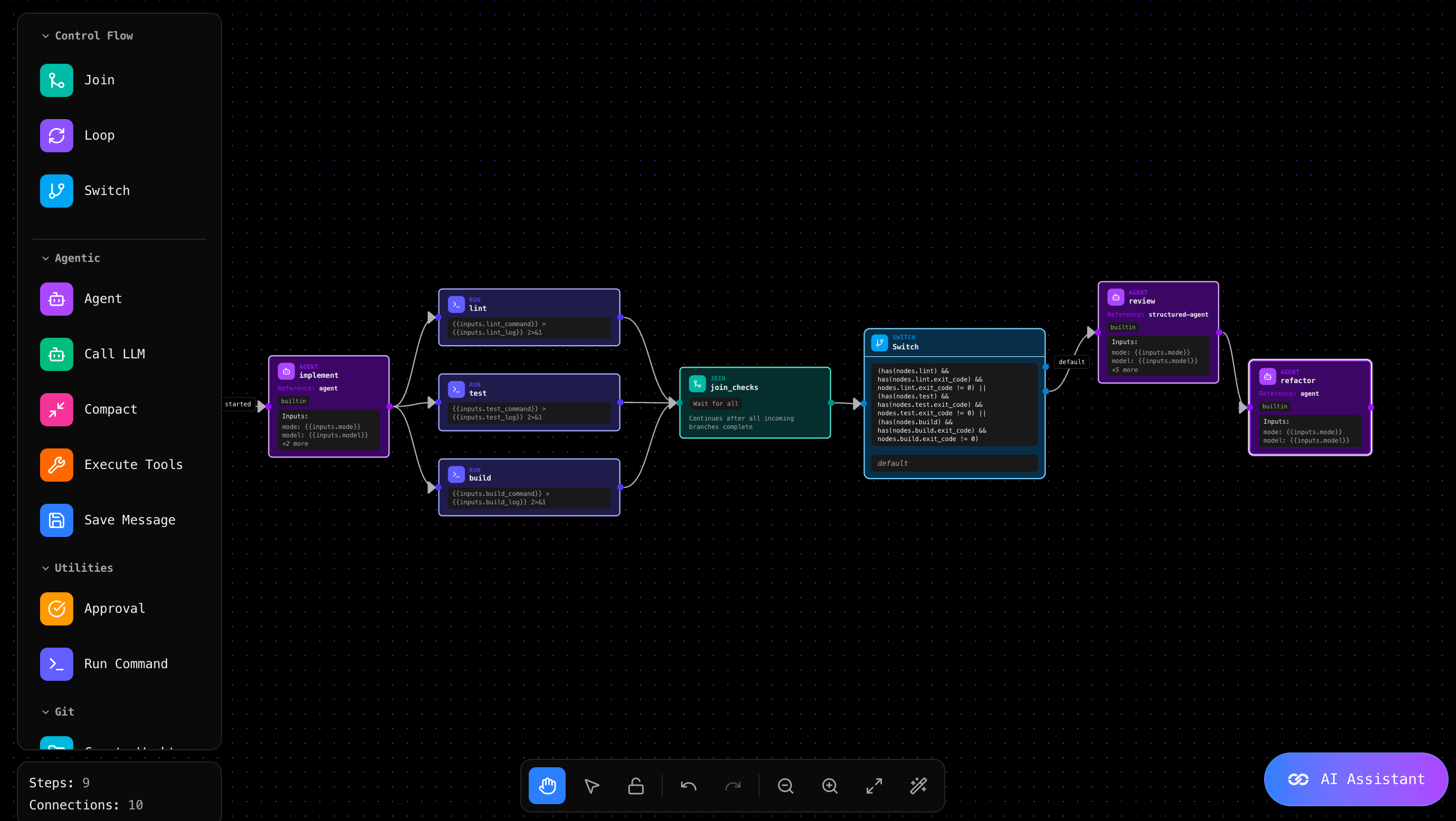
Forge also checks for mistakes such as incorrectly skipped tests, edits to generated files, list filters that silently match everything, and misspelled markers in SQL comments. Findings explain the problem and suggest a fix. Rules can be disabled, with a written reason required for error-level suppressions. The full list has a bad example and the fix for each. The technical notes cover the implementation details: the interceptor chain, error handling, suppressions, and what happens to migrations at deploy time.
If you want to see real forge apps, forge and reliant are both built with it, as is the management plane behind our hosted service. The docs go deeper on all of this. We also provide an interactive demo of the admin dashboard we provide to any forge deployed project.
In Part 2, we'll follow a failed archive request in the same app and show how an agent uses Forge's traces and logs to investigate it.
- forge
Try Reliant
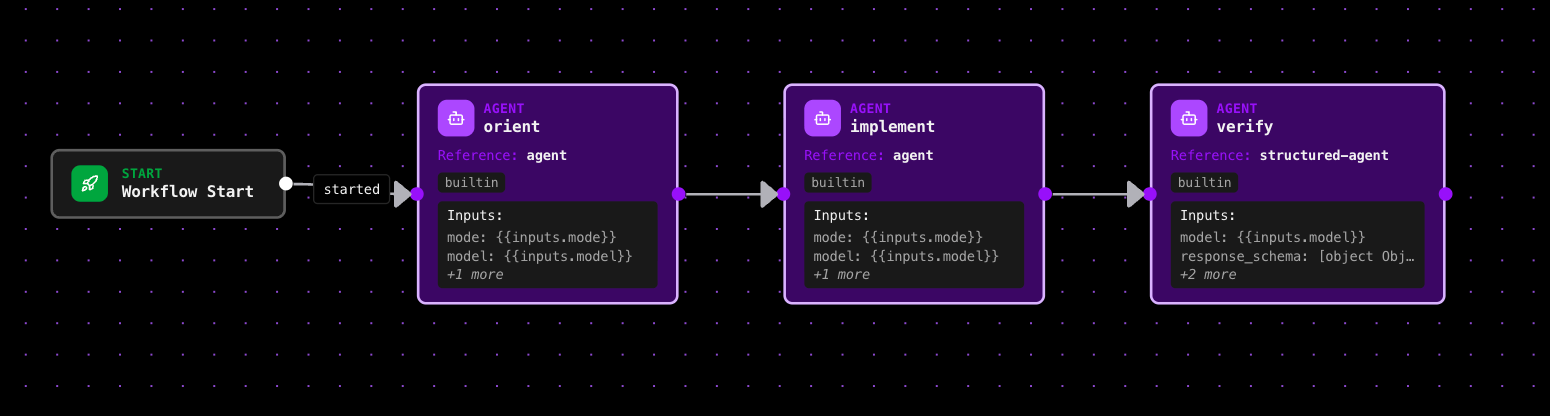
Agents that implement, verify and review in a loop until the work is done.